 By Admin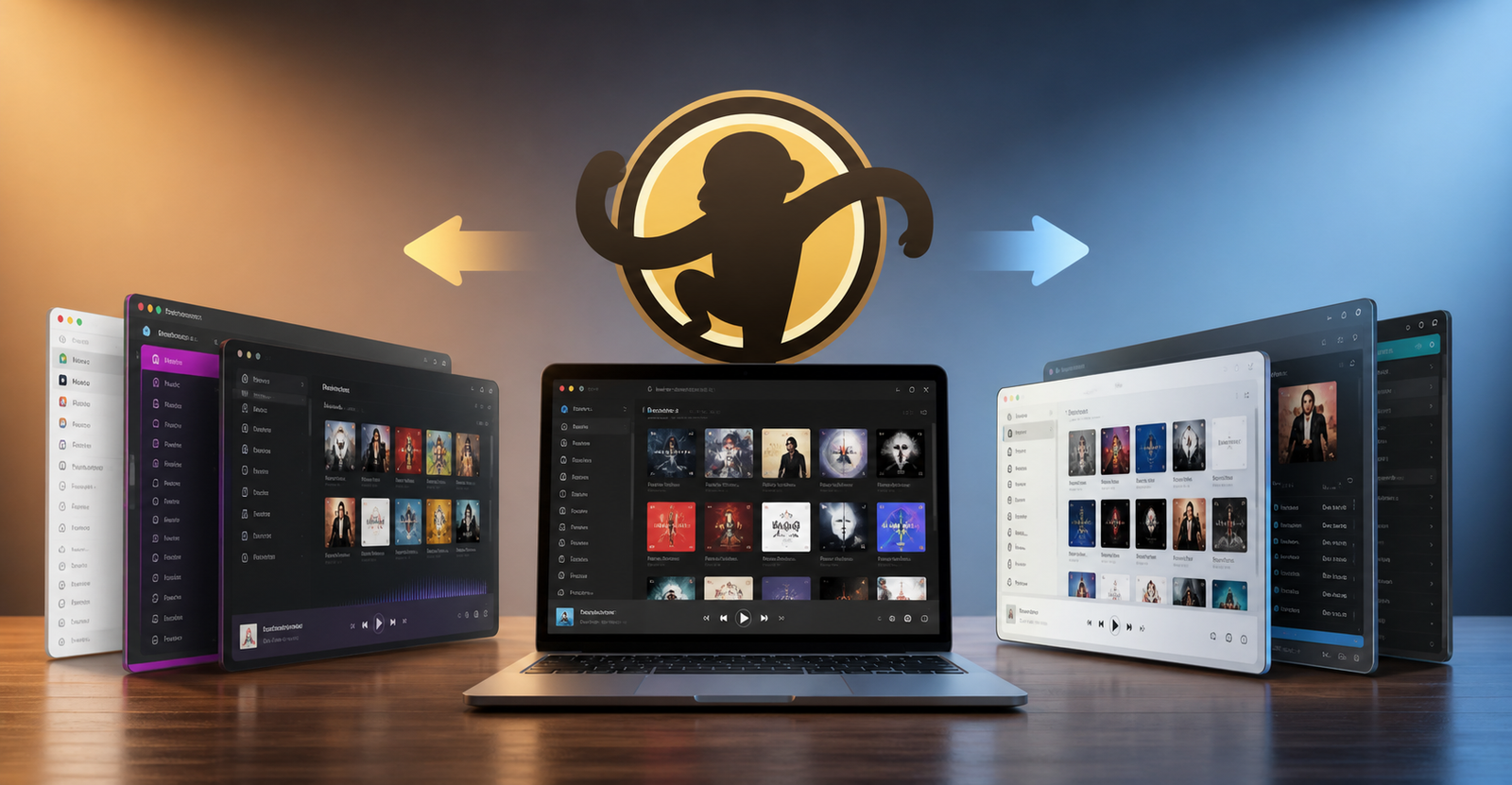
Is There a Better Alternative to MediaMonkey 5?
If you have been using MediaMonkey 5 for a while, you may have asked yourself a simple question: is there a better alternative to MediaMonkey 5?
The honest answer is yes, but it depends on what you need.
For many Windows users, MusicBee is probably the best all-around free alternative. It feels familiar, handles large music libraries well, supports tagging, playlists, folder monitoring, artwork, podcasts, and device syncing. For users who want something lighter and more customizable, foobar2000 is a strong choice. If you mainly want clean playback without deep library tools, AIMP may be enough. For serious collectors, JRiver Media Center and Roon offer more powerful premium options.
That said, MediaMonkey 5 is not a bad program. It still does a lot well, especially for people with large local libraries, custom tags, playlists, and portable device syncing. The problem is that some users find it heavier, less comfortable, or less enjoyable than older versions like MediaMonkey 4.
So the better question is not just whether there is a better alternative. It is which alternative fits the way you actually manage and listen to your music.
Why People Look for a MediaMonkey 5 Alternative
Most people do not leave a music manager for no reason. If you have spent years building a music library, fixing ID3 tags, organizing folders, adding album art, and creating playlists, switching software is a big decision.
Users usually start looking for a MediaMonkey 5 alternative because of things like:
MediaMonkey 5 feels more cluttered than expected.
The interface does not feel as comfortable as MediaMonkey 4.
Updates or settings changes can feel frustrating.
Some users run into license or setup issues.
The program may feel too heavy for basic playback.
The learning curve can be annoying for casual users.
Syncing devices may not work the way they want.
Large libraries may need a cleaner or faster manager.
Some people simply want a more modern experience.
This is especially common among users with big MP3, FLAC, AAC, WAV, or M4A collections. They are not just playing random songs. They want proper library control, smart playlists, rating filters, play counts, folder structure, cover art, and smooth search.
That is why a basic player like VLC Media Player may not be enough for them. They need a real music library manager.
What MediaMonkey 5 Still Does Well
Before moving away from MediaMonkey 5, it is fair to say what it still gets right.
MediaMonkey has always been strong for people who care about control. It can manage large collections, edit tags, organize folders, create playlists, sync devices, handle different audio formats, and work as more than just a simple music player.
It is still useful for:
Large local music libraries
MP3 and FLAC collections
Playlist management
Tag editing
Album art management
Device syncing
Library filters
Duplicate track management
File organization
Audiobooks and podcasts
Custom fields and ratings
For some users, MediaMonkey 5 is still the right tool. If it already works well for your collection and you like its structure, there is no urgent reason to switch.
But if you feel like the program gets in your way, there are better fits depending on your priorities.
Best MediaMonkey 5 Alternatives Compared
MusicBee
MusicBee is the best alternative to MediaMonkey 5 for most people, especially on Windows.
It has the same general appeal: strong library management, clean playback, playlists, tagging, folder monitoring, artwork, format conversion, and device support. It also feels lighter and more approachable for many users.
The biggest reason people like MusicBee is that it gives you serious control without feeling too complicated. You can organize a large music collection, edit metadata, create smart playlists, manage podcasts, listen to web radio, and customize the layout.
It is a great choice if you want:
A free MediaMonkey 5 alternative
Strong local library management
A cleaner interface
Good tagging tools
Folder monitoring
Artwork handling
Playlist support
Device syncing
Support for MP3, FLAC, AAC, WMA, and more
MusicBee is not perfect, but for most users asking if there is a better alternative to MediaMonkey 5, this is the first program worth trying.
foobar2000
foobar2000 is a favorite among users who want a fast, lightweight, deeply customizable audio player.
It does not feel like MediaMonkey 5 out of the box. It is more minimal and technical. But that is exactly why many people love it. You can keep it simple, or you can build it into a powerful custom music setup with components and plugins.
foobar2000 is especially good for:
Lightweight playback
FLAC and high-quality audio files
Advanced tagging
ReplayGain
Gapless playback
Custom layouts
Low system resources
Keyboard shortcuts
Plugin support
Users who like control
The downside is that foobar2000 may feel plain or unfriendly at first. If you want a polished music manager right away, MusicBee is easier. If you enjoy tweaking your setup, foobar2000 can be excellent.
AIMP
AIMP is a good choice if you mainly want a clean, reliable music player rather than a full library manager.
It supports many audio formats, has a nice interface, includes an equalizer, supports playlists, and runs smoothly. It is less about building a massive organized database and more about enjoying music without much hassle.
Choose AIMP if you want:
Simple playback
A lightweight player
A clean interface
Playlist support
Good audio format support
Skins and basic customization
A program that does not feel overloaded
For people with huge libraries and advanced tagging needs, AIMP may feel limited. But for everyday listening, it is one of the easiest alternatives to enjoy.
JRiver Media Center
JRiver Media Center is a more serious paid option for people with large collections.
It is not only a music player. It is a full media manager that can handle music, video, images, playlists, metadata, library views, and advanced playback options. Some users with very large FLAC or MP3 collections prefer JRiver because it gives them deep control once everything is set up properly.
The strength of JRiver Media Center is power. The weakness is that it may take time to configure.
It is best for:
Huge local libraries
Power users
Advanced metadata control
Home media setups
High-quality playback
Library views and filters
People willing to pay for serious tools
If MediaMonkey 5 feels too simple or frustrating, JRiver Media Center may be a meaningful upgrade. If you want something quick and free, it is probably too much.
Roon
Roon is not a direct replacement for everyone, but it is one of the best premium options for audiophiles.
The main appeal of Roon is the experience. It does not just show your files. It builds a rich music world around them with artist biographies, album reviews, credits, lyrics, recommendations, and connections between artists. It can also combine your local music library with services like TIDAL and Qobuz.
Choose Roon if you care about:
Audiophile listening
Rich metadata
Beautiful library browsing
Local files plus streaming
Multi-room audio
High-quality playback
TIDAL and Qobuz integration
A premium music experience
The downside is cost. Roon is not the best choice if you only want a free MediaMonkey 5 alternative. But if you care deeply about the listening experience and have good audio equipment, it can feel like a major upgrade.
Clementine
Clementine is a free, open-source music player that works across platforms. It is often mentioned as an alternative for users who want something available on Windows, Mac, and Linux.
It is good for basic music library use, playlists, internet radio, and general playback. It does not feel as modern as some newer options, but it still has value for users who prefer open-source software.
Choose Clementine if you want:
A free open-source player
Cross-platform support
Basic library management
Internet radio
A simple music player for local files
It may not be the strongest option for heavy MediaMonkey 5 users with advanced tagging and syncing needs, but it is still worth knowing.
Strawberry
Strawberry is often seen as a more modern continuation of the style that made Clementine popular. It is also open-source and works well for people who want a clean player for local collections.
It focuses on music playback, library management, playlists, and audio quality. It can be a good fit for users who want something less commercial and more straightforward.
Choose Strawberry if you want:
Open-source software
A cleaner modern music player
Local library support
Cross-platform use
A simple alternative to bloated players
For serious device syncing or heavy tag management, MusicBee or MediaMonkey may still be stronger. But for open-source fans, Strawberry is a solid option.
Winamp
Winamp is a classic name, and many longtime music fans still have a soft spot for it. It is fast, familiar, and nostalgic. It works well for basic playback, playlists, and the old-school music player feel.
But as a full replacement for MediaMonkey 5, it depends on your needs. If you want a simple player, Winamp can still be fun. If you want serious library management, tagging, syncing, and modern organization, it may not be enough.
Choose Winamp if you want:
A classic player feel
Simple playback
Skins and nostalgia
Basic playlists
A lightweight listening setup
Do not choose it as your main replacement if you need powerful library management.
Best Alternative by User Type
Best Free Alternative to MediaMonkey 5
For most users, the best free alternative is MusicBee.
It offers the best mix of library management, tagging, playlists, customization, and ease of use. If you are leaving MediaMonkey 5 but want something similar, start here.
Best Lightweight Alternative
The best lightweight option is foobar2000.
It is fast, stable, flexible, and excellent for users who like clean performance and custom setups. It is especially strong for FLAC, ReplayGain, and gapless playback.
Best Simple Player
The best simple player is AIMP.
It is easy to use, looks good, plays many formats, and does not overwhelm you with too many library tools.
Best Paid Alternative for Large Libraries
The best paid alternative for huge libraries is JRiver Media Center.
It gives serious collectors strong control, but it takes more time and effort to set up.
Best Audiophile Alternative
The best audiophile alternative is Roon.
It is expensive compared with free players, but its metadata, design, and streaming integration make it feel special for dedicated music fans.
Best Open-Source Alternative
The best open-source options are Strawberry and Clementine.
Strawberry feels more current, while Clementine still works well for users who want something familiar and cross-platform.
MediaMonkey 5 vs MusicBee
For many people, this is the real comparison.
MediaMonkey 5 is powerful, but some users feel it is heavier or less comfortable than they want. MusicBee feels smoother for many Windows users and gives enough library control without feeling too difficult.
Choose MediaMonkey 5 if you already like its tagging, syncing, scripts, and library structure.
Choose MusicBee if you want a free, polished, flexible music manager that feels easier to live with every day.
For most people asking, “is there a better alternative to MediaMonkey 5,” MusicBee is the safest first answer.
MediaMonkey 5 vs foobar2000
MediaMonkey 5 is better if you want a full library manager with tagging, syncing, and visual organization.
foobar2000 is better if you want a lightweight, customizable player focused on clean playback and technical control.
If your main goal is organizing a huge collection, MediaMonkey 5 or MusicBee may be better. If your main goal is fast playback and customization, foobar2000 wins.
MediaMonkey 5 vs JRiver Media Center
JRiver Media Center is more of a premium power-user tool. It can manage large media libraries extremely well, but it is not as simple as downloading a free player and getting started.
Choose JRiver if you have a very large collection, want deep control, and do not mind paying.
Stay with MediaMonkey 5 or try MusicBee if you want something easier and less expensive.
Should You Switch From MediaMonkey 5?
You should switch from MediaMonkey 5 if the program feels frustrating, too heavy, or no longer enjoyable. Music software should make your collection easier to use, not make you dread opening it.
Switch to MusicBee if you want the closest free replacement.
Switch to foobar2000 if you want something fast and customizable.
Switch to AIMP if you mostly care about simple listening.
Switch to JRiver Media Center if you have a massive library and want professional-level control.
Switch to Roon if you want a premium audiophile experience with beautiful metadata.
Try Strawberry or Clementine if you prefer open-source software.
But if MediaMonkey 5 still works well for your setup, there is no need to change just because other options exist.
Final Recommendation
So, is there a better alternative to MediaMonkey 5?
For most Windows users, yes. MusicBee is the best place to start because it gives you strong library management, tagging, playlists, artwork, device support, and a cleaner everyday experience. It feels like the most natural move for people who like what MediaMonkey does but do not love how MediaMonkey 5 feels.
For advanced users, foobar2000 is better if you want speed and customization. JRiver Media Center is better for huge libraries and power users. Roon is better for audiophiles who want a premium listening experience. AIMP is better if you just want a simple, attractive music player.
The right choice depends on your library, your patience, your budget, and how much control you want. But if you are tired of MediaMonkey 5, you have plenty of strong alternatives to try.
 Leo
Leo