 By Admin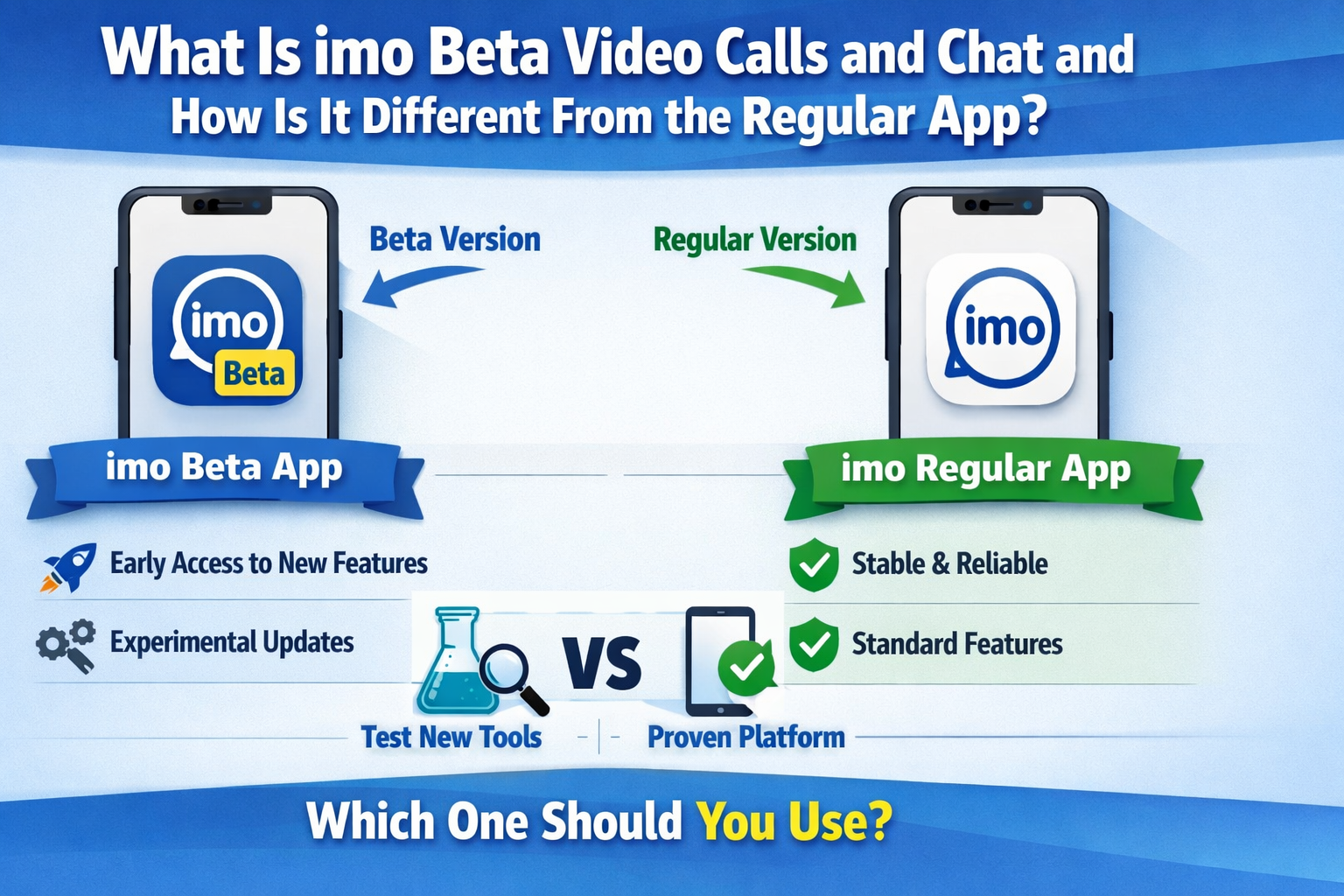
If you have come across imo beta -video calls and chat in the Google Play Store, the first thing to know is that it is not a separate company or a completely different messaging product. It is the beta version of imo, the same communication app built around international video calls, instant messaging, group chat, and media sharing. On Google Play, the beta app is listed with more than 100M downloads, a 4.3-star rating, and 1.59M reviews, while the official app descriptions also position imo as a free, simple, and secure app used by more than 200 million people across 170+ countries and regions with support for 62 languages.
What makes imo Beta different is not the basic purpose of the app. You still use it to make voice calls, video calls, send text messages, share photos, videos, documents, and stay in touch across devices. The real difference is that imo Beta is the testing version. According to imo’s own FAQ, the regular app is the stable, official release, while imo Beta is where new features and updates appear first so users can test them and send feedback before those changes roll out more widely.
imo Beta is the early-access version of the app
The clearest way to think about imo Beta is as an early-access lane for people who like trying new things before everyone else. imo’s FAQ says the beta build is where new features and updates are introduced first for testing and user feedback. A newer imo blog post from January 2026 says the same thing more directly, explaining that imo Beta lets users try new features before they reach the main app and is meant for people who want to see what is coming next.
That means the beta version is usually a better fit for curious users than for cautious ones. If you enjoy exploring new chat layouts, testing small interface changes, or seeing updates to voice calls, video calls, and messaging before the stable release gets them, the beta version makes sense. If you mostly want predictability and fewer surprises, the regular version is the safer choice because it is the one imo describes as more stable and more reliable for general use.
The regular imo app is built for stability first
The standard imo app is the polished version most people should start with. On imo’s official download page, the company describes imo Android as the “full-featured stable version.” In its FAQ, imo also says users who prioritize stability and reliability may prefer the official version, while beta users are usually the people who want the newest features earlier, even if that means dealing with occasional issues.
That difference matters in everyday use. A stable release is less likely to change suddenly, less likely to show features that appear and disappear, and generally more likely to feel polished. The beta app can still work well, but imo itself says it may be less stable and more prone to bugs or issues compared with the official version. So the regular app is better for people who rely on it daily and do not want to troubleshoot anything unexpected.
Both versions still revolve around the same core communication features
Even though the beta and regular versions differ in release stage, the heart of the app stays the same. On Google Play, imo beta -video calls and chat is described as a free, simple, and secure international video call and instant messaging app. The listing says users can make HD video calls, create group chats, send text or voice messages, share photos, videos, and documents, and use the app across Android, iOS, Windows, and MacOS. It also says chats and files can be synced in imo Cloud to free up phone storage.
The official App Store listing for the regular app mirrors that same broad message. It presents imo as a free international calling and chat app with the same global, multi-language positioning. So when someone asks whether the beta version is “totally different,” the honest answer is no. The foundation is the same. The difference is mainly about how quickly new features show up and how polished those features are when you get them.
imo Beta usually gets new features first
This is the biggest practical difference. The official imo blog says imo Beta often gets new options for messaging, voice calls, video calls, notifications, settings, media, and stickers before they appear in the main app. It even gives examples such as updated chat layouts, early video call enhancements, new file-sharing options, and settings experiments. The regular app only gets those changes after they have been tested and confirmed stable.
You can see that fast update rhythm in the version history too. On FileHippo, the latest beta build is listed as 2026.01.1032, with a long chain of older builds stretching back through 2025, 2024, and earlier years. The official imo blog also says new beta builds may appear every week or even more frequently depending on testing needs. Put simply, imo Beta moves faster than the regular app.
That quick pace is useful for users who like early access, but it also explains why the beta can feel less settled. A feature may arrive in beta, get adjusted, or disappear while the team decides whether it belongs in the main app. That is normal for a testing build. It is also why beta apps are exciting for some people and frustrating for others.
Privacy tools are a bigger part of imo than many users expect
A lot of people hear “video calls and chat” and assume the app is mainly about calling quality. That is true, but the privacy side is also important. The Google Play listing for imo Beta says the app includes Time Machine, Disappearing Message, SecretChat, Block Screenshot, and End-to-End Encryption to improve chat privacy. It also says users can erase chat messages, set message timers, and block screenshot, copy, share, and download actions inside privacy chats.
The latest “What’s new” section on Google Play highlights this even more. It specifically mentions Privacy Chat, Screenshot Block, Time Machine, and Disappearing Message, along with Invisible Friend and Optimal Light for nighttime video calls. That tells you the beta version is not only about new calling tools. It is also a place where imo is actively testing privacy and usability features.
The company’s own FAQ about imo Beta also says the app offers end-to-end encryption for secure communication, helping protect messages and calls from third parties. So while beta software is less predictable in performance, imo is still presenting privacy as a core part of the experience, not an afterthought.
Calling quality and weak-network performance are part of the appeal
One reason imo keeps getting attention is that it is designed for people who care about international communication without paying traditional calling charges. The Google Play listing says imo supports audio and video calls over 2G, 3G, 4G, 5G, and Wi-Fi, and says it is built to remain consistent even under bad network conditions. It also claims more than 300 million video calls are made through imo every day.
Supporting pages reinforce that same message. BlueStacks describes imo as a no-fuss calling and chat app with clear one-on-one and group video calls, fast messaging, cloud sync, and a stable connection even when the network is not great. While that is a third-party description rather than an official claim, it aligns closely with how imo markets the app itself.
So if you are wondering whether the beta build changes the app’s overall purpose, the answer is not really. The main draw is still communication. imo Beta simply lets users try the next layer of that experience sooner, whether that means new video call tweaks, updated chat tools, or experimental interface changes.
imo Beta is better for early adopters, not for everyone
This is where your choice becomes simple. If you like being first, do not mind the occasional bug, and want to help shape the app through feedback, imo Beta is a good match. imo’s own blog says beta users are often people who enjoy testing new functions, spotting bugs, and helping developers improve the app before wider release. A third-party listing on Apponic sums it up neatly by saying imo beta lets you “try the latest imo features before everyone else.”
But if you use the app mainly for dependable daily communication, the regular imo app is probably the better fit. imo says the stable version is more reliable, while the beta version may include glitches, missing features, or issues as the team refines updates. That is the trade-off in plain language. Beta gives you speed and novelty. Regular imo gives you consistency and fewer surprises.
So what is the real difference between imo Beta and the regular app?
The simplest answer is this: imo Beta is the testing track, and the regular imo app is the stable track. Both are built around international video calls, audio calls, instant messaging, group chat, file sharing, and cross-platform communication. But imo Beta gets new features first, updates more often, and may feel less polished because it is still being refined with user feedback. The regular app is the version most people should use if they want fewer bugs and a more predictable experience.
If you enjoy seeing what is new before everyone else, imo beta -video calls and chat makes sense. If you just want a smoother app for everyday calls and messages, stick with the regular version. That is really the difference. It is not about two separate communication products. It is about whether you want early access or everyday stability.